“Talent wins rounds. Preparation wins matches.”
The CS2 platform for teams and players
Run your roster from schedule to demos, find a team on the Finder and replay pro matches in 2D, round by round.
Sign in with a Steam account, no install and no password
Solo or as a team
Every tool sits where you need it, whether you are looking for a team or running one.
Solo
For players and staff looking for a team, and for anyone who wants to study the top level.
- Teamwise Finder: your listing, and the teams recruiting by role, league, region and language
- Public 2D: recent pro matches replayed in 2D, round by round
- Listings and pro matches can be read without an account
As a team
For the roster, its staff and its organization, every day and across the season.
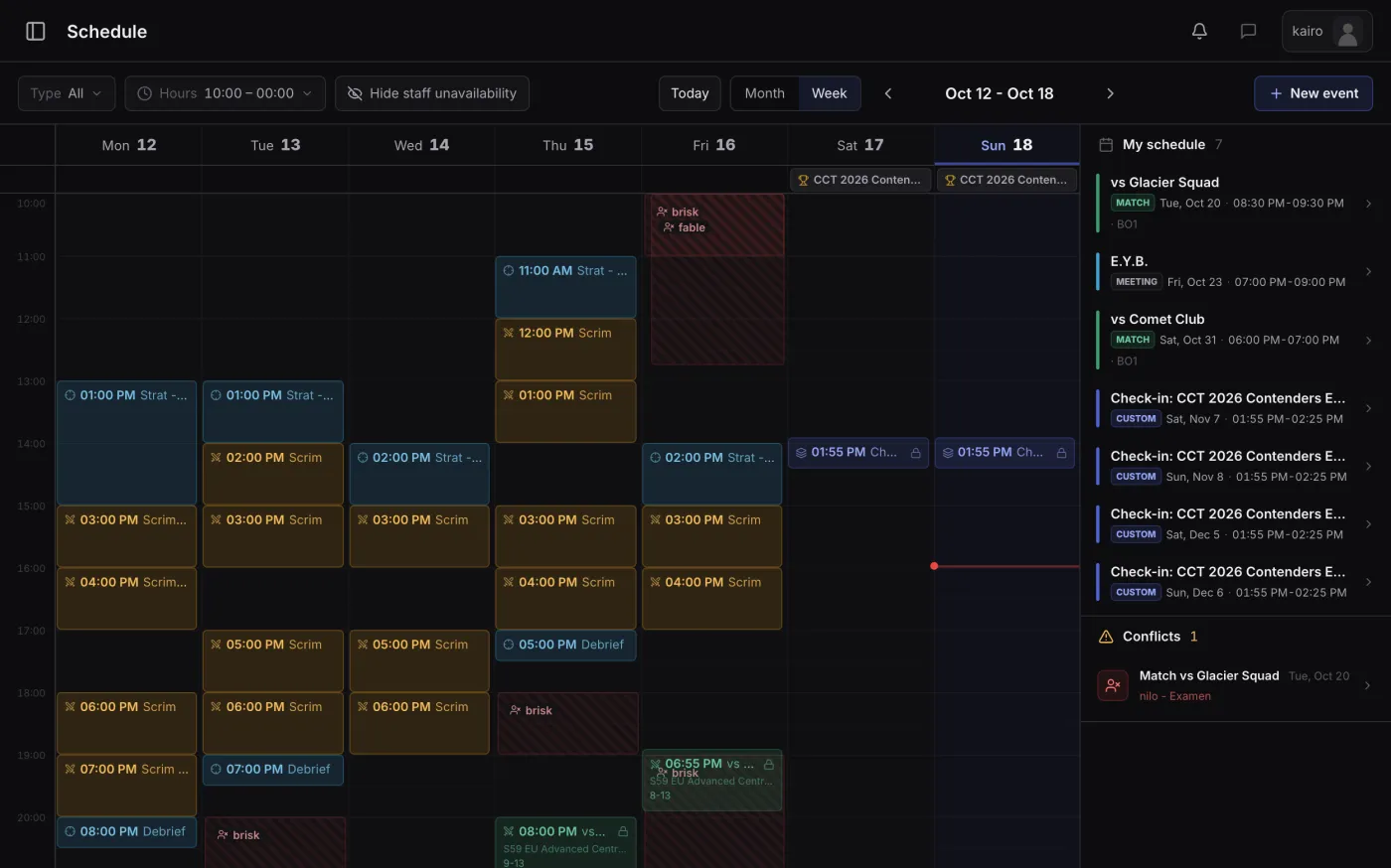
- Shared schedule with availability, matches and competitions synced from FACEIT
- Visual stratbook by map and side
- Parsed demos and 2D replay
- Player and team statistics
- Roles and permissions per member, up to three teams per Steam account
Public 2D
Pro matches, replayed in 2D
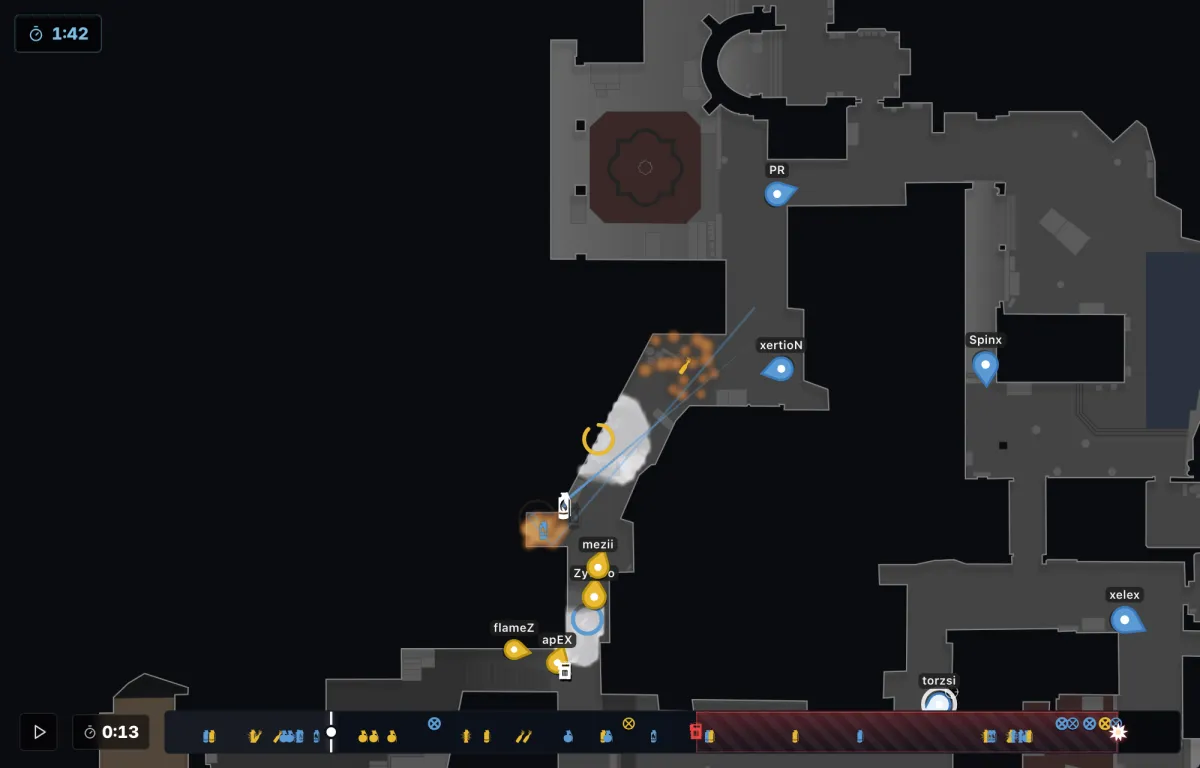
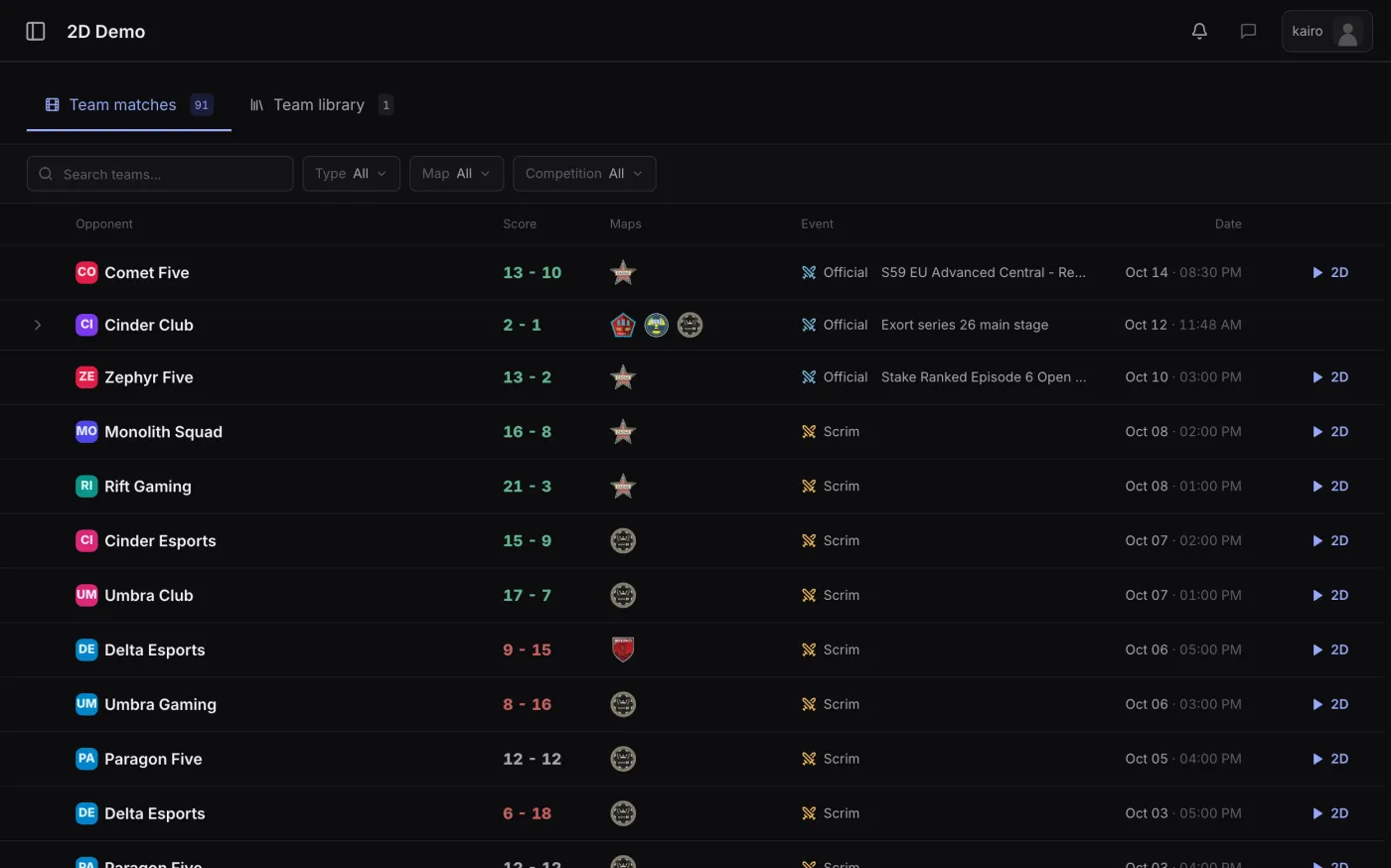
Recent professional matches are analyzed and published in 2D: positions, utility and kills, round by round. Pick a map and follow the rotations, executes and retakes of the best teams.
- Recent pro matches, published as the days go by
- Every map of a series, from the first round to the last
- Search by team, player, map and competition
A whole season, in one place
Every stage of a team's life has its tool, and they work together.
01 · Recruit
Teamwise Finder: CS2 recruiting, right where your team lives
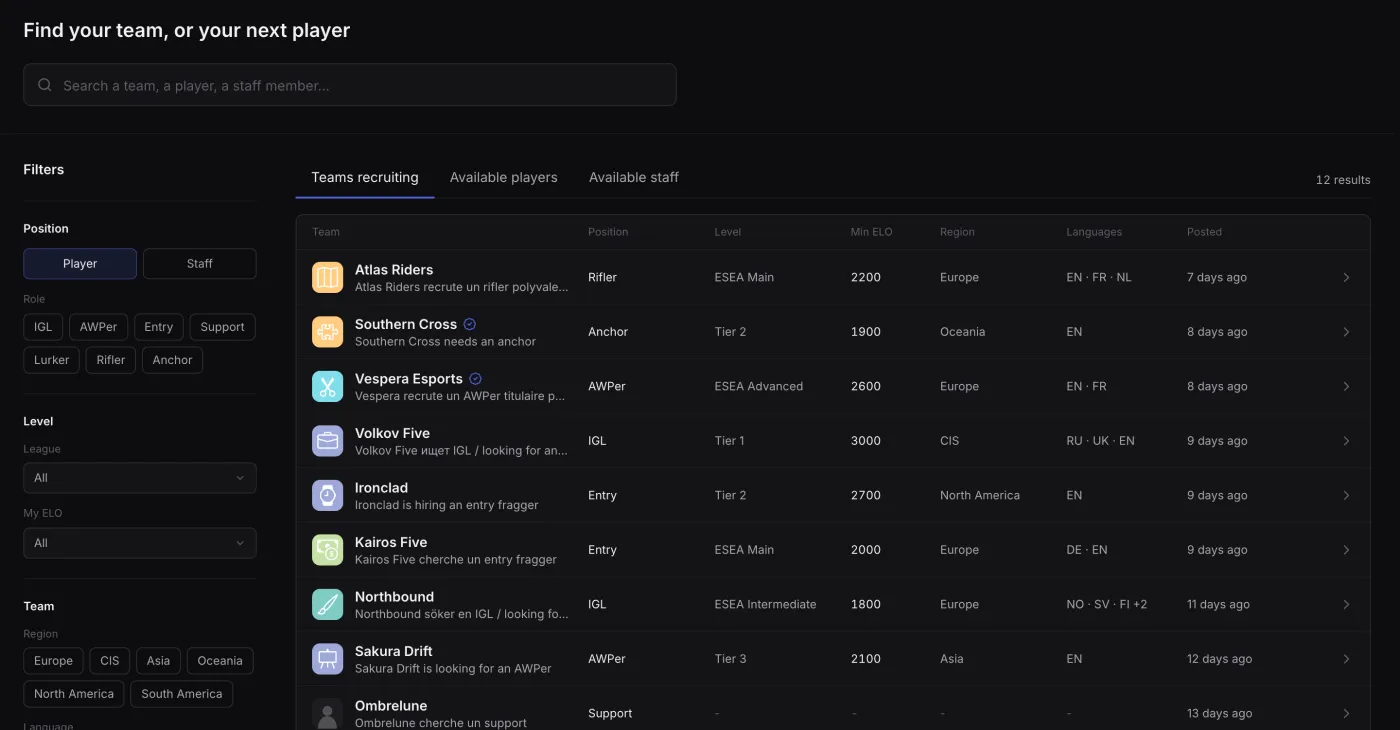
Players and staff say who they are, teams say what they are looking for. Skill comes from FACEIT, applications and contacts land straight in the team's workspace, and every listing has its own page to share on Discord or X.
Team listings are open without an account.
You're looking for a team
- One listing, written once: roles, level, availability and results, with your FACEIT ELO kept up to date
- Filter teams by role, league, region, language and schedule, then apply in one click
- Teams contact you directly, and you follow your applications in one place
You're recruiting
- Post your player and staff openings, each on its own page
- Receive applications in your workspace and track candidates stage by stage
- Search available players and staff, and contact them on behalf of your team
02 · Organize
Agenda, matches and competitions
Practice is planned around the roster's real availability, every match and competition stays on record, and permissions define who does what.
- Shared agenda with availabilities and conflict detection
- Scrims, officials, leagues and cups with scores, maps and history
- FACEIT sync: matches, competitions and results arrive on their own
- Granular roles and permissions for the whole roster
03 · Prepare
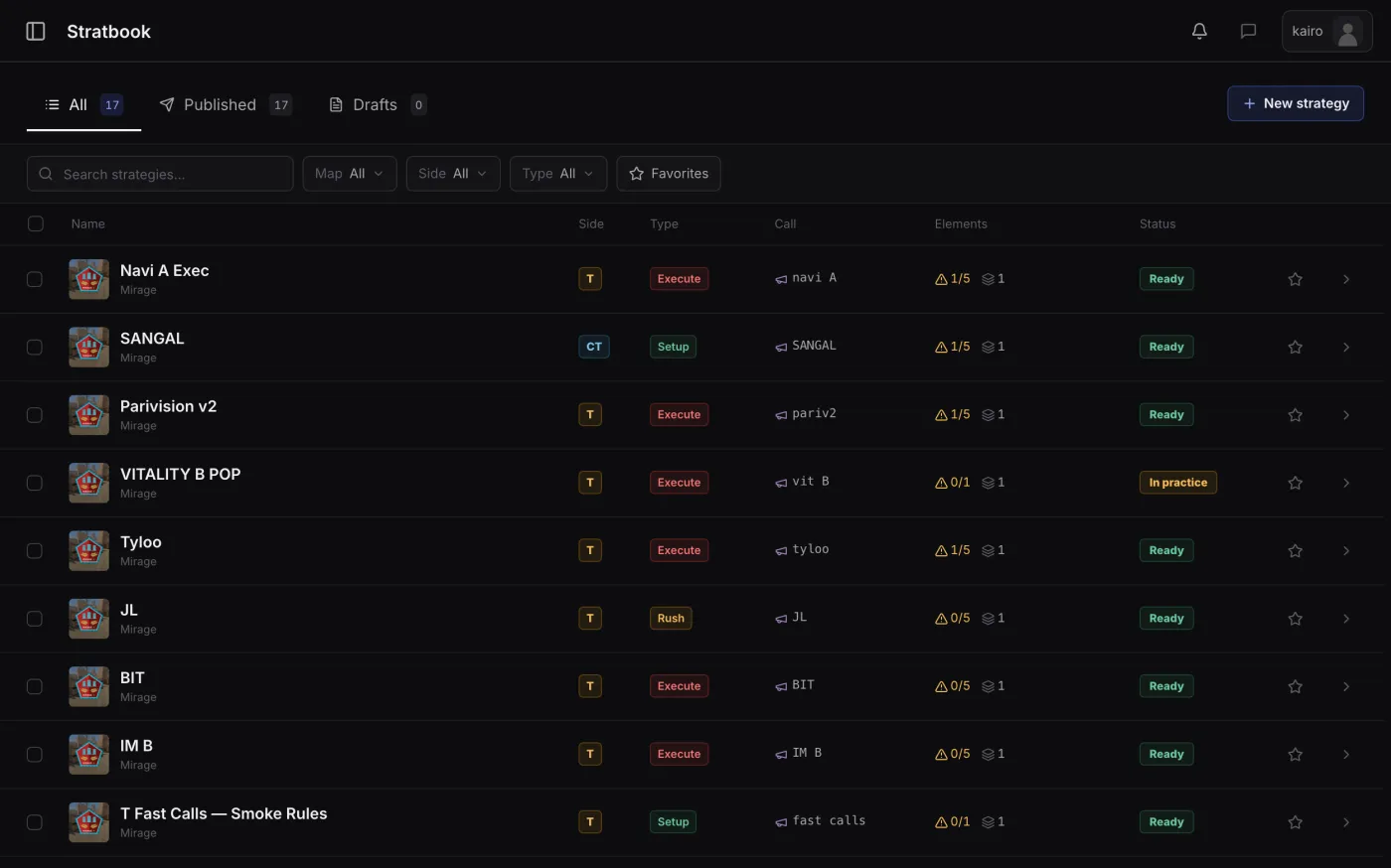
Visual stratbook
Executes are drawn on a tactical canvas, split into phases, and every player gets a role.
- Tactical canvas on every active-duty map
- Phases, utilities and player roles per strat
- Organized by map, side and type: defaults, executes, anti-ecos
04 · Review
Demo analysis and 2D replay
Upload a demo and get it parsed automatically: rounds, kills, utility and positions. Replay any round in the 2D viewer to review rotations and setups.
- Demos parsed automatically after upload
- Round-by-round 2D replay with player positions
- Demo library for scrims, officials and practice
05 · Improve
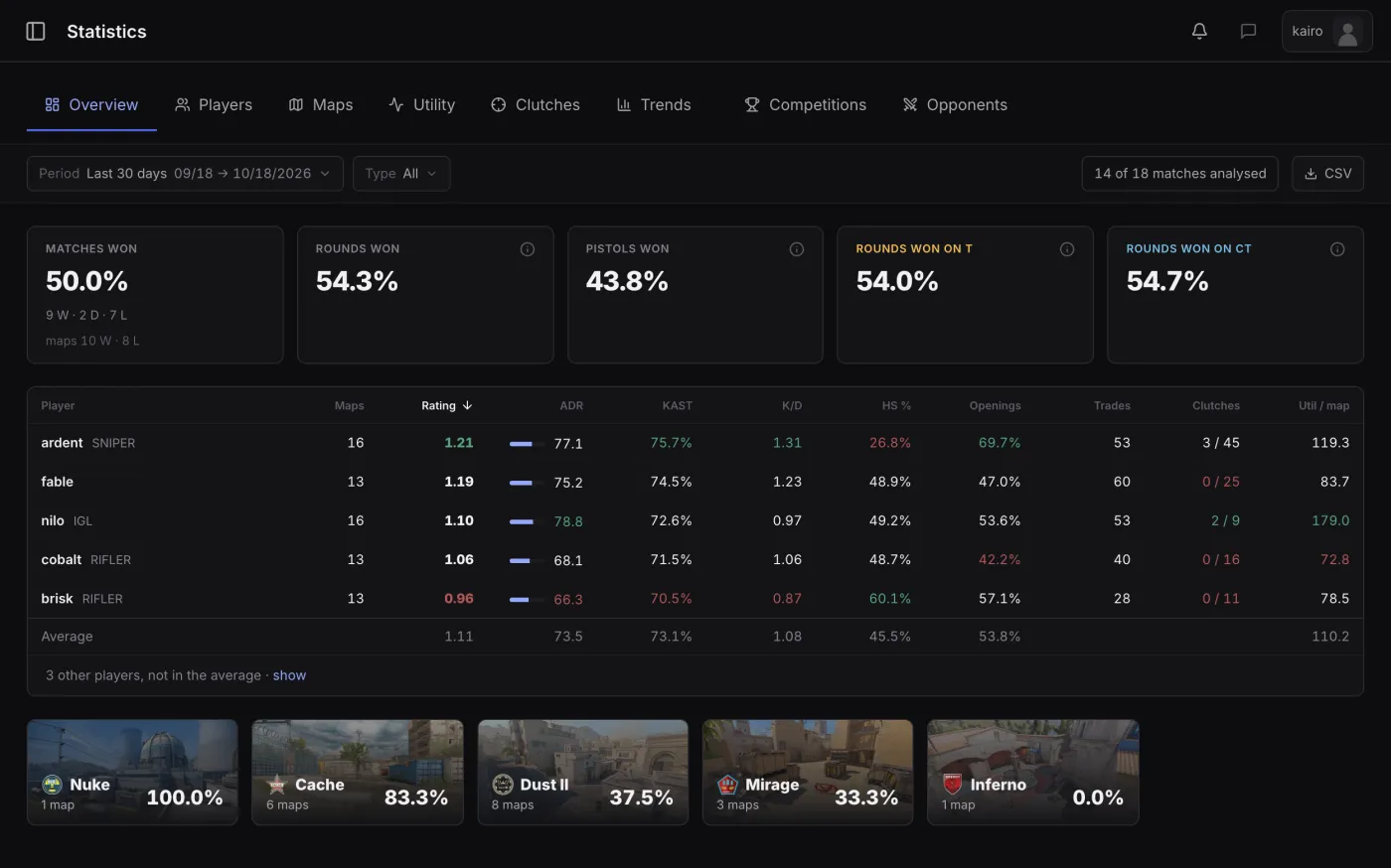
Team and player statistics
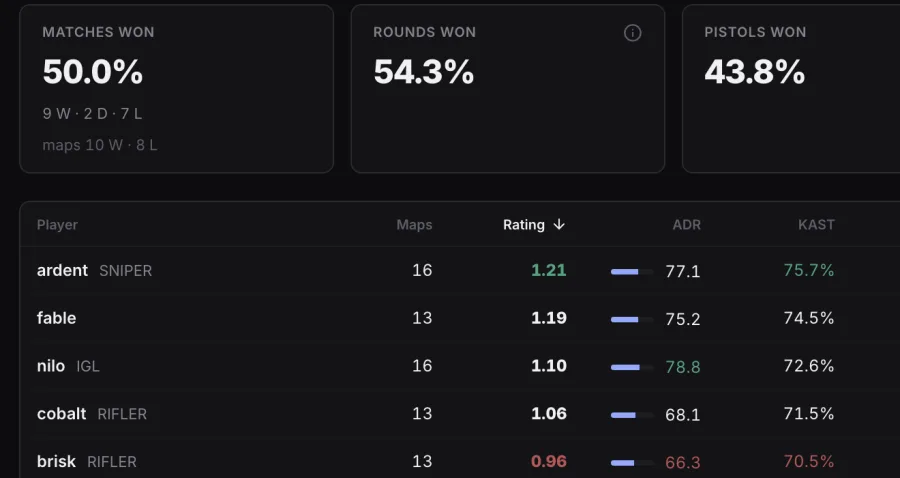
Per-player scoreboards, team performance and map results, filterable by period and side. Built from your own demos, not estimates.
- Player scoreboards: rating, damage, utility impact
- Team-level view: rounds, sides, map performance
- Period and side filters on every view
Get started with Teamwise
Sign in with a Steam account. Create a team or join one by invitation.
Frequently asked questions
Who is Teamwise for?
Counter-Strike 2 teams of every level: the player building a roster, the manager or coach running it, and the organization fielding several teams. Everyone gets the tools that fit their role.
How does demo analysis work?
Upload a .dem file: Teamwise parses it and produces round-by-round stats, kill data and a 2D replay of every round.
Can I manage several teams?
Yes, up to three. One Steam account can belong to at most three teams and switch between them in one click. In each team, roles and permissions decide who organizes, who recruits and who reads.
Does Teamwise work with FACEIT?
Yes. Link your FACEIT team and your matches, competitions and results stay in sync automatically.
How do I sign in?
With your Steam account. No password and no separate registration: your roster joins through team invitations.
Which games are supported?
Teamwise is built for Counter-Strike 2.
How does the Teamwise Finder work?
Players and staff post their listing, teams post their openings. Team listings can be browsed without an account; to post, apply or contact, just sign in with Steam.
What is Public 2D?
A library of recent professional matches replayed in 2D: positions, utility and kills, round by round. It can be browsed without an account, from Public 2D.